
Sections Emoji Support
Manual informationEmoji Support
Overview of Viewpoint emoji support #
Viewpoint has enhanced support for emoji characters in version 7.6. Users will be able to create, view and search for emojis in a variety of ways.
- Creating emojis
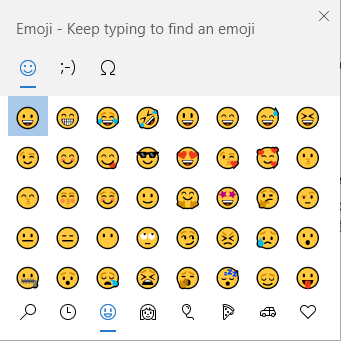
Viewpoint itself does not contain any special means for creating emojis, however Microsoft Windows has supported the creation of emojis by holding down the Windows button and pressing the period (.) key. This should bring up the standard Windows emoji dialog. You may use this dialog to create emojis (to search, filter, etc.)
. 
- Searching Viewpoint Documents
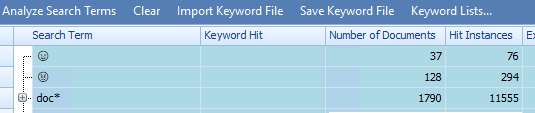
All documents which are indexed using Viewpoint 7.6 (or later) will afford emoji searching capability. For example, in the Search Terms tab in the View Manager a user may now enter search terms which contain emojis and receive hit information comparable to the hit information received with ordinary characters.
- Custom Fields, Metadata filters, and other Viewpoint searches and filters
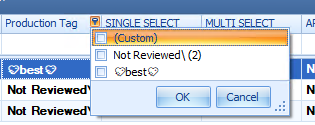
Users may now include emojis in the names of Custom Fields, and other database elements (tags, etc.) and users may search, sort and filter on these characters as if they were ordinary characters.
Viewpoint Viewers#
Viewpoint viewers support emojis to varying degrees. See table below:
Product | Feature | Support |
|---|---|---|
Classic apps | Native Viewer | Some limitations |
Classic apps | HTML Viewer | Some limitations |
Classic apps | Text Viewer | none |
Classic apps | Some limitations | |
Viewpoint Web | Native Viewer | Full support |
Viewpoint Web | HTML Viewer | Some limitations |
Viewpoint Web | Text Viewer | Full support |
Viewpoint Web | Highlights Viewer | Full support |